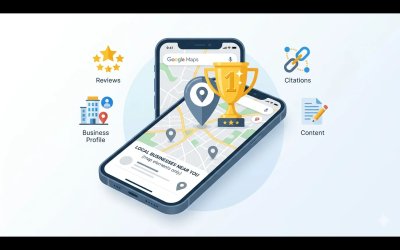
Why Is My Google Business Profile Not Showing Up in 2026? (13 Reasons + Fixes)
You set up your Google Business Profile. You filled in your business hours, uploaded some photos, and wrote a description. And then… nothing. Your business doesn't appear on Google Maps. Competitors who launched after you are sitting at the top of the Local Pack while your listing is buried — or completely invisible.
This is one of the most frustrating experiences for any local business owner, and it happens far more often than most people realise. The good news? Every single reason your Google Business Profile isn't showing up is fixable. And in most cases, the fix is simpler than you'd expect.
In this guide, we break down the 13 most common reasons why your GBP isn't appearing in local search in 2026 — along with the exact steps to solve each one.
Why Google Business Profile Visibility Matters More Than Ever in 2026
Before we dive into the problems, let's understand what's at stake.
The Google Local Pack — that block of three business listings that appears at the top of search results — captures between 44% and 58% of all clicks on local search pages. If you're not in those top three results, you're invisible to more than half the people searching for your service right now.
In 2026, Google made GBP completeness a direct ranking factor following its March core update. Incomplete profiles are no longer just "less likely to rank" — they are now actively penalised. Even small gaps in your profile can push you off the map entirely.
If your business isn't appearing, there's a specific reason. Let's find it.
Reason 1: Your Profile Is Not Verified
This is the most common reason — and the easiest to fix.
Google requires every business to verify their GBP listing before it appears in search results. Until you complete verification, your profile exists in Google's system but is completely invisible to the public.
✅ Fix
Log into your Google Business Profile dashboard at business.google.com. If you see a "Get verified" button, click it immediately. Google offers several verification methods:
- Postcard by mail (5–14 days)
- Phone
- Video
- Instant verification (eligible businesses only)
Choose the fastest option available for your business type.
Reason 2: Your Business Is Marked as Permanently Closed
Google sometimes automatically marks businesses as permanently closed based on user suggestions, Street View data, or inactivity signals. This kills your listing visibility instantly.
✅ Fix
Search your business name on Google Maps. If you see "Permanently closed" beneath it, log into your GBP dashboard and update your status to "Open." Use the "Suggest an edit" feature if the dashboard option doesn't resolve it. For persistent issues, contact Google Business Profile support directly.
Reason 3: Your Service Area Is Not Configured
For service-area businesses — those that travel to customers rather than receiving them at a fixed address — Google needs to know which geographic areas you serve. Without this configuration, Google doesn't know where to show your listing.
✅ Fix
In your GBP dashboard, navigate to Business information > Service area. Add every city, county, or zip code where you actively serve customers. Be honest and accurate — overstating your service area significantly increases suspension risk following Google's 2026 enforcement crackdown.
Reason 4: Keyword Stuffing in Your Business Name
Google's 2026 spam enforcement targeted this issue aggressively. Adding extra keywords to your GBP business name — such as "Joe's Plumbing | 24/7 Emergency Plumber Austin TX" instead of simply "Joe's Plumbing" — is a direct violation of Google's guidelines.
This can prevent your profile from ranking and trigger an outright suspension, making your listing completely disappear from Google Maps.
✅ Fix
Edit your business name to match exactly what appears on your legal registration, storefront signage, and website. Your keywords belong in your business description, services section, and GBP posts — never in the name field.
Reason 5: Your Profile Is Incomplete
Following the March 2026 Google core update, profile completeness became a direct ranking input. Missing fields — service listings, photos, attributes, Q&A content — now face measurable ranking penalties compared to fully complete competitor profiles.
✅ Fix
Audit every field on your profile. All of the following must be fully populated:
- Business name — exact legal name only
- Primary and secondary categories — use the most specific available
- Business description — use the full 750 characters, include keywords naturally
- Business hours — including special and holiday hours
- Phone number — consistent with your website
- Website URL
- Service area — if you're a service-area business
- Services — with individual descriptions and prices where possible
- Attributes — accessibility, payment methods, amenities
- Minimum 10 high-quality photos
- Q&A section — with your own pre-answered questions
- At least one GBP Post published within the last 7 days
Not sure what you're missing? Run our Free GBP Audit Tool — it checks 40+ ranking factors in under 5 minutes and delivers a prioritised action plan at no cost.
Reason 6: Wrong Primary Category Selected
Your primary category is the single most impactful field on your entire GBP. It tells Google which searches you're eligible to appear for. Selecting "General Contractor" when you should have selected "Electrician" means you simply won't appear for electrical searches — regardless of how perfect everything else is.
✅ Fix
Search your main service and your city on Google Maps. Click through the top 3 results and note their primary categories. Choose the most specific, accurate category that reflects your core business. You can add up to 9 secondary categories to expand your search eligibility further.
Reason 7: NAP Inconsistency Across the Web
NAP stands for Name, Address, and Phone number. If your business name, address, or phone number differs — even slightly — between your GBP, your website, Yelp, Facebook, and other directories, Google receives conflicting signals and suppresses your local rankings as a result.
A missing apostrophe, "St." versus "Street," or a different phone format are all enough to create ranking problems.
✅ Fix
Audit every place your business appears online. Ensure your NAP data is character-for-character identical everywhere. Our Citation Building service at SBGeeks handles this systematically across 50+ high-authority directories.
Reason 8: Your Profile Has Been Suspended
GBP suspensions surged in 2026 following Google's crackdown on spam and policy violations. A suspended profile is completely invisible — not pushed lower in rankings, but fully removed from Google Maps.
Common suspension triggers:
- Keyword stuffing in the business name
- Using a virtual office or PO box as a physical address
- Duplicate listings for the same business
- Competitor spam reports
- Excessive profile changes made in a short period
✅ Fix
Check your GBP dashboard for a suspension notification. Submit a reinstatement request through the Google Business Profile Help Centre with supporting documentation:
- Photos of your storefront or workspace
- Business registration documents
- A utility bill showing your business address
- Vehicle photos (for service-area businesses)
Reinstatement typically takes 2–6 weeks. SBGeeks specialises in GBP reinstatement — see what we offer and view our results.
Reason 9: No Recent Reviews or a Low Star Rating
Reviews are the second most powerful Google Maps ranking factor. In 2026, review recency and your response rate carry more weight than raw volume. A business with 15 reviews from this month regularly outranks one with 200 reviews from 2022.
A low average rating — below 4.0 stars — also suppresses your click-through rate, which Google interprets as a quality signal and responds to by ranking you lower.
✅ Fix
Build a systematic review generation process. After every completed service, send a follow-up text or email with a direct link to your Google review page. Respond to every review — positive or negative — within 24 hours. Your responses are indexed by Google and add natural keyword relevance to your listing.
Our Review Generation service at SBGeeks has helped clients achieve a 92% review success rate and a 3–5x increase in monthly review volume.
Reason 10: Recent Major Changes to Your Profile
Significant profile changes — new business name, address, phone number, or primary category — trigger a re-verification process. During this period, your profile may temporarily drop in local search visibility while Google re-confirms the accuracy of your information.
✅ Fix
Avoid making multiple significant changes simultaneously. After updating any major field, allow 2–4 weeks for the changes to stabilise before making further edits. Monitor your impressions and ranking data in Google Search Console during this period.
Reason 11: Your Website Has Technical Issues
While your GBP is managed independently of your website, Google factors your website's authority, speed, and local relevance into your overall local ranking position. A slow, thin, or poorly structured website actively drags down your GBP performance.
✅ Fix
Ensure your website includes:
- Your full NAP on every page (typically in the footer), matching your GBP exactly
- LocalBusiness schema markup in the page code
- A page load time under 2.5 seconds on mobile
- Location-specific content mentioning your city and service area naturally
- Dedicated service pages rather than a single homepage for all services
Reason 12: Your Competitors Are Simply Stronger
Sometimes your profile is technically well-optimised — but your top competitors have more reviews, more photos, more complete profiles, more frequent GBP posts, and stronger website authority. In these cases, you're losing on total signal strength, not on any single error.
✅ Fix
Conduct a structured competitor analysis. Examine the top 3 businesses ranking for your primary keyword. Count their reviews, check their profile completeness, count their photos, look at their last 5 GBP posts. This gap analysis tells you precisely where to focus your optimisation energy.
This is exactly what our Deep GBP Audit service does — we analyse your profile and your top competitors' profiles across 40+ factors and build a prioritised action plan.
Reason 13: Google Is Still Processing Your Profile
If you recently created a new GBP or made significant updates to an existing one, Google may simply not have fully processed and indexed the changes yet. New and recently updated profiles can take 1–4 weeks to appear consistently in local search results.
✅ Fix
Be patient and use the time productively. Post on your GBP at least once per week, add new photos, and generate reviews from real customers. Consistent activity signals tell Google your business is operational and serving customers — which accelerates indexing.
The Fastest Way to Find Your Specific Problem
Reading through 13 possible reasons is useful, but you need to know which specific issues are affecting your profile. Our Free GBP Audit Tool does this automatically.
Visit sbgeeks.com/gbp-audit-tool.php and run a complete audit in under 5 minutes. We check 40+ ranking factors and deliver a prioritised action plan at no cost and with no sign-up required.
If you'd prefer our team to diagnose the issues and implement every fix professionally, explore our GBP management plans starting at $449/month. We offer a 30-day money-back guarantee and deliver measurable results within 60 days.
Your customers are searching for you right now. Let's make sure they can find you.
Frequently Asked Questions
Why is my Google Business Profile not showing up on Google Maps?
The most common reasons include an unverified profile, incorrect primary category, NAP inconsistency across directories, a suspended listing, incomplete profile fields, no recent reviews, and a misconfigured service area. Work through each of the 13 reasons above to identify your specific issue.
How long does it take for a Google Business Profile to appear in search?
New or recently updated Google Business Profiles can take 1–4 weeks to appear consistently in local search results while Google processes and indexes the changes.
Why was my Google Business Profile suspended?
Common triggers include keyword stuffing in the business name, using a virtual office or PO box as a physical address, having duplicate listings, receiving competitor spam reports, or making excessive profile changes in a short period.
Does an incomplete Google Business Profile hurt rankings?
Yes. Following Google's March 2026 core update, profile completeness became a direct ranking input. Incomplete profiles now face measurable ranking penalties compared to fully complete competitor profiles.
How do I fix NAP inconsistency for my Google Business Profile?
Audit every directory where your business appears online and ensure your Name, Address, and Phone number are character-for-character identical everywhere — including your GBP, website, Yelp, and Facebook.